
Writing a post
https://blog.kiarashs.ir/blog/writing-a-post
Contents17 sections
A post is one Markdown file in src/content/posts/. The filename sets the URL,
with a leading date stripped: 2026-01-05-writing-a-post.md is served at
/blog/writing-a-post, or at /posts/writing-a-post on a site with the front
page switched off.
Frontmatter
---
title: Writing a post
date: 2026-01-05          # optional; falls back to the filename prefix
updated: 2026-01-12       # optional; shown beside the date
authors: [you]            # ids from src/content/authors.ts
tags: [guide, writing]
summary: One or two sentences for the index and search results.
category: Tutorials       # one of the site's categories; optional
draft: false              # drafts appear in dev, never in a build
featured: false           # true marks its card "Featured"
featuredSection: false    # true, with featured, lists it in the Featured section
license: CC BY 4.0        # optional; its text and figures, if not the site's
unlisted: false           # true leaves it out of every list; see below
revisions:                # optional; see below
  - date: 2026-01-12
    note: What changed, in a line.
series: Running this blog # optional; groups multi-part posts
part: 1                   # optional; position within the series
slug: custom-url          # optional override of the filename
doi: 10.5281/zenodo.123   # optional; linked from the post header
banner: /figures/rig.jpg  # optional; see below
comments: true            # optional; false, or readonly
share: true               # optional; false hides the share links
cite: true                # optional; false hides "Cite this post"
font: garamond            # optional; the whole post in another face
numbered: false           # true numbers the sections 1, 1.1, 1.1.1
numberWithin: post        # section counts equations, figures as (2.1), Figure 2.1
smartQuotes: false        # true sets curly quotes and dashes in this post
macros:                   # optional; shorthands for this post's maths
  \loss: \mathcal{L}
publication:              # optional; the paper or project behind the post
  kind: paper             # or project
  title: A title for the paper
  status: Preprint
  venue: Journal of Statistical Software
  year: 2026
  doi: 10.5281/zenodo.123
  url: https://arxiv.org/abs/2601.01234
  pdf: /posts/my-post/paper.pdf
  code: https://github.com/you/replication
  data: https://doi.org/10.5281/zenodo.124
---
That is every field there is. Those from numbered on are covered in
Writing like a paper and Math and citations, and the
README has a section on each.
Comments
comments: decides whether a post takes them:
comments: false      # no thread at all
comments: readonly   # the thread stays, the box goes
true is the same as leaving it out, which follows giscus.comments in
src/site.config.ts — set that to off if most of your posts should not take
comments and a few should.
false renders nothing: no heading, no frame, and nothing asked of giscus.
readonly keeps the thread for reading, says so above it, and hides the box.
That last part is presentation rather than enforcement — giscus has no
read-only mode, so the box is hidden by a stylesheet giscus loads for itself,
and on its own the discussion on GitHub would still accept posts. The deploy
locks it, if the post has one yet, which is what closes it.
Share links
The Share section at the foot of a post, with its links to LinkedIn, X,
Bluesky and email and its Copy link and Print buttons, is on for every post.
share: false leaves it off one post: no heading and no links. The value has
to be the word false; share: no is a string in YAML, so the links stay and
the build says why.
cite: false does the same for the "Cite this post" block under it, the
BibTeX, APA, IEEE and plain-text citations. It too is on unless a post says
false.
Banners
banner: puts a picture or a video above the title. A path under public/ is
all most posts need:
banner: /figures/rig.jpg
The crop is fixed rather than taken from the file, so a run of posts opens the same way whatever shape their artwork is: 3:1 for a picture, which is the widest thing that leaves the opening sentence on a 1280x800 screen, and 16:9 for a video, which cannot be cropped without losing the picture. The longer form sets the rest:
banner:
  src: https://youtu.be/dQw4w9WgXcQ
  alt: Ten seconds of the sampler running
  title: Recorded in the lab, March 2026
  poster: /figures/rig-still.jpg
  autoplay: false
  ratio: 21 / 9
src can be an image, a video file, or a YouTube link. alt is what a reader
who cannot see it is told; left out, the banner is treated as decoration and
skipped. title is the tooltip a pointer gets on hover, and it is not a second
alt: a tooltip cannot be reached by keyboard, never appears on a touch
screen, and is read on top of the name the element already has by some screen
readers, so it is the place for an aside — a credit, a date, where the picture
was taken — and not for anything the reader needs. Both are empty unless you
write them. autoplay applies to video only, plays muted and looping, and is
ignored for anyone whose system asks for less motion. A YouTube banner is drawn
as its still until someone clicks it, so the post asks Google for nothing until
then — poster avoids even the still, and is also what a shared link shows.
A post can have no tags at all, and then shows no Tags section. A single tag
needs no brackets, tags: guide; an empty or repeated tag is dropped, and the
build says so.
Leave summary out and the opening prose is used instead. Leave date out and
the filename supplies it. An author id with no record in authors.ts still
renders a byline using the id itself, so a typo degrades instead of vanishing.
Files that belong to one post
Anything a post needs — figures, a preprint, slides, a data appendix — goes in
public/posts/<slug>/, a folder named after the post's slug. Reference it from
the root:

[the example attachment](/posts/writing-a-post/example.pdf)Which renders as:


and a link to the example attachment.
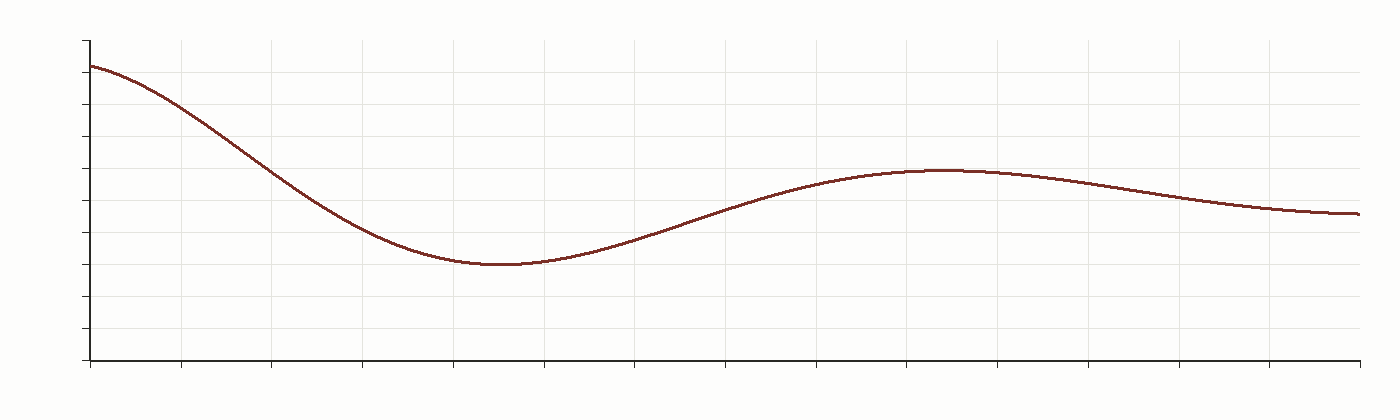
An image whose file is wider than the text column is linked to itself, so a click opens the original at full size, in a viewer you can zoom and move about in and close with Escape. The plot below is 1400px wide and the column is about 700, which is the difference between reading the axis and guessing at it. Images the column can already show in full get no link, and a diagram in SVG never gets one, since the page scales vectors on its own.
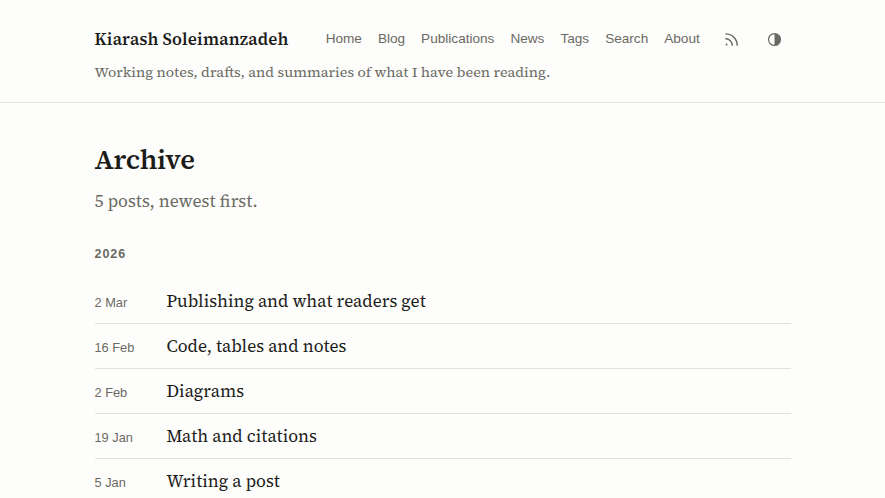
A screenshot is the one kind of figure that wants an edge: its white window
runs straight into the light page, and nothing says where the picture stops.
Put #frame on the end of the path and it gets a hairline border:
Plots and diagrams are left without one, since a box round a figure on a transparent background is a box round empty space.
Everything under public/ is served at the same path, so
public/posts/writing-a-post/diagram.svg is at
/posts/writing-a-post/diagram.svg. Deleting a post means deleting one folder,
and two posts can both have a plot.png without colliding.
Write the path from the root, starting with /. That is what lets the build
read the file to set the image's width and height, pick up a .dark sibling,
and add the deployment's base path — a relative ./diagram.svg gets none of
that. Site-absolute links in prose get the base path too, so a PDF link works
on a project site served from a subdirectory.
Embedding another page
An <iframe> on a line of its own shows another page inside the post: a map,
an interactive figure, a demo. Give it a width, a height and a title:
<iframe src="/projects/example/" width="800" height="450"
        title="The example project page"></iframe>
The frame fills the column, and the two numbers set its shape rather than its size, so this one is 800 by 450 in proportion on any screen: about 700 by 390 on a desktop, 335 by 190 on a phone. Leave them out and it is 16:9. The title is what a screen reader announces, and the frame loads only as the reader nears it:
The thin border keeps a page with a background like this one's from running
into the post. Write frameless on the iframe to leave it off, for a page meant
to look like part of the post:
<iframe frameless src="/projects/example/" width="800" height="450"
        title="The example project page"></iframe>
A YouTube video
A YouTube video is written as an image whose address is the video's:

Caption: The talk, recorded at the workshop.Any address YouTube gives you works: a watch?v= link, a youtu.be/ short
link, or the embed/ address inside the iframe the Share button offers, so
there is no need to tidy one into another. A t= in it is kept, and the video
starts there. Like any figure, it takes a numbered caption from a Caption:
line under it.
The page shows the video's still with a play button over it, and the player
takes its place when the reader clicks. Until that click nothing is asked of
Google but the still itself, and the player comes from
youtube-nocookie.com. The iframe the Share button gives you does the
opposite: it loads YouTube's player, and YouTube, as soon as the reader scrolls
near it, and its address carries an si= parameter that tells YouTube whose
share the reader came from.
Dates
Dates are parsed as UTC, not local time. Without that, date: 2026-01-05
displays as 4 January for anyone west of Greenwich, which is the kind of bug
that survives for months because it looks like an off-by-one somewhere else.
A post dated in the future is excluded from builds and appears once its date
arrives, so you can queue posts ahead. Like drafts, future-dated posts are
visible while running npm run dev.
Drafts
draft: true keeps a post out of every build while leaving it visible in
development. The build strips an unpublished post's text, title and summary
rather than merely hiding it from the index, so there is no unlinked URL
holding the draft and nothing to read in the bundle. The filename itself
survives, as a key in the module map, so name the file with that in mind.
Revisions
A post that changes after it is published can carry its history:
revisions:
  - date: 2026-01-12
    note: Added the section on files that belong to one post.
  - date: 2026-02-20
    note: Documented captions, and the shortcut for copying a section link.
They are listed at the foot of the post, newest first, so that the entry a returning reader wants is the one they meet — and it is the one the "updated" date at the top of the post links to. The note is the point: a bare date says only that something changed, when what a reader wants to know is whether it is worth reading again. An entry without a date is dropped, and one without a note shows the date alone.
Leaving updated out lets it fall back to the newest revision, which is what
the header, the Atom feed and the sitemap use, so there is one date to maintain
instead of two. Setting updated explicitly overrides that. This post has a
history; that is where its "updated" date comes from.
Categories
Tags are free-form and many; a category is one of a fixed few, and a post has
at most one. The set lives in src/site.config.ts with a description each, so
/categories can say what belongs on each shelf rather than showing a cloud of
words. Write the label or the slug — Research Notes and research-notes are
the same thing — and the build warns if the name is not one the site knows.
Each category has a page of its own, paginated, with an Atom feed, and the name appears in small caps beside the date on every card and at the top of the post.
Series
Two or more posts that are meant to be read in order share a series name:
series: Running this blog
part: 1
The parts are listed at the top of each post with the current one marked, and previous/next links appear above the newer/older pair at the foot. Those two mean different things: newer and older are the archive's order, previous and next in a series are the author's. This post is part 1 of two.
Leave part out and the parts fall into date order. Number some but not all
and the numbered ones come first, so a half-numbered series still reads in a
sensible order rather than interleaving.
Grouping is the series string and nothing else: no tag, title or filename is
consulted, and the match is exact, so Bootstrap methods and Bootstrap Methods are two series with one post each. A series with only one published
part renders nothing at all, which keeps part 1 from announcing "Part 1 of 1"
while part 2 is still a draft.
Mermaid
Every diagram is drawn twice, light and dark, and the page shows whichever
matches the reader's theme. A theme: in a diagram's own frontmatter is
dropped for that reason: it would outrank the renderer's and give both copies
the same colours, so a dark page would show a light diagram. look: and
layout: are kept, and the build prints the name it dropped.
The two themes are redux-color and redux-dark-color, set in
DIAGRAM_THEMES. They give each participant its own hue, which is how the
examples in mermaid's documentation are drawn.
Featured posts
featured: true marks a post's card "Featured" in the lists. Add
featuredSection: true and it is also in the Featured section at the top of
the blog index's first page, newest first; featuredSection on a post that is
not featured does nothing, and the build says so. This post and
Code, tables and notes have both, which
is why they are listed above the others, in a panel of their own, by title;
pointing at one shows its date and reading time. They are shown in addition to the posts
the page lists, and keep their places in the list too, so the list is still
every post in date order and the first page still has the newest. How many the
section shows is featuredPosts in src/site.config.ts, 3 unless you change
it; give more posts the section and the newest of them are shown. Set it to 0 to keep only the
marks on the cards, or set showFeatured to false to drop the section and
the marks both.
A post's licence
The footer puts every post's text and figures under the site's licence,
license.content in src/site.config.ts, and code under license.code.
A post under other terms names them in its frontmatter: license: CC BY-NC 4.0, or license: { name: …, url: … } for one the site does not know by
name. It then says so under its body, and its metadata and feed entry carry
the licence too. Code in it stays under the site's code licence. A figure
from someone else's work is theirs, so its caption should say whose it is and
under what terms.
Unlisted posts
unlisted: true is the opposite of pinning. The post keeps its page and its
address, and drops out of everything that lists posts: the blog index, the
archive, the tag and category pages, search, related posts, the newer/older
links, the feeds and the sitemap. Its page asks search engines not to index
it. Use it for a page you mean to send by link — to reviewers, or alongside a
talk — and nothing else. It is unlisted, not private: anyone with the address
can read it. An unlisted example shows one; this link
is the only way to it.
Structure
Headings from h2 down get ids automatically. Hovering one shows a link icon;
clicking it copies the section's full URL to the clipboard, which is what you
want when citing or sending someone one part of a long post.
Posts with three or more h2/h3 headings get a contents list above the text,
collapsed until the reader opens it so that a long list does not push the
opening paragraph off the screen. Shorter posts get none at all, because a
two-item table of contents is just noise.
Revisions
- Documented captions, and the shortcut for copying a section link.
- Added the section on files that belong to one post.
Cite this post
@misc{soleimanzadeh2026writing,
  author  = {Soleimanzadeh, Kiarash},
  title   = {Writing a post},
  year    = {2026},
  url     = {https://blog.kiarashs.ir/blog/writing-a-post},
  urldate = {2026-02-20}
}Soleimanzadeh, K. (2026, February 20). Writing a post. Kiarash Soleimanzadeh. https://blog.kiarashs.ir/blog/writing-a-postK. Soleimanzadeh, "Writing a post," Kiarash Soleimanzadeh, Feb. 20, 2026. [Online]. Available: https://blog.kiarashs.ir/blog/writing-a-postKiarash Soleimanzadeh. “Writing a post.” Kiarash Soleimanzadeh, 20 February 2026. https://blog.kiarashs.ir/blog/writing-a-post
Comments
Comments are closed on this post. The thread below is kept for reading.